September 16, 2026
AI Virtual Staging for Real Estate: How to Do It Right (MLS-Safe Guide + Before & After)
A vacant listing photographs as empty square footage. AI virtual staging fixes that — if you do it the MLS-safe way. Here's the one disclosure rule that matters, safe Gemini prompts to use, and four real before-and-after rooms.
A vacant three-bedroom home photographs like 1,400 square feet of nothing. Bare walls, empty corners, a great room with no reason to linger — even with perfect HDR exposure and a straight lens, an empty room is hard for a buyer to read as "home." That's the problem AI virtual staging solves, and it's become one of the most-searched topics among agents this year: it's fast, inexpensive compared to renting furniture, and when it's done right, it makes a vacant listing convert like a furnished one. Done wrong, or disclosed wrong, it can also create real liability for an agent and a seller. Here's how to use it the right way.
What Virtual Staging Is (and What It Isn't)
Virtual staging means adding furniture, rugs, art, and decor to a photo of an empty or cluttered room using image-editing software or AI. It is not architectural editing. A legitimate virtual staging job never touches the structure of the room: walls stay where they are, flooring stays the material it actually is, windows and doors stay the size and shape they were built, and ceiling height doesn't change. The only things that move are the things a moving truck could actually move — furniture, textiles, plants, and small decor.
That distinction matters because virtual staging and ordinary photo editing aren't the same category of edit, even though they can use the same underlying AI tools. Fixing a blown-out window or removing a stain from a countertop is standard real estate photo editing every photographer already does. Adding a couch that doesn't exist is staging, and it needs to be handled — and disclosed — differently.
Why It Works: Empty Rooms Read as Small, Staged Rooms Read as Home
Buyers don't have great spatial reasoning in an empty room. Without a bed to compare it to, a primary bedroom's actual square footage is genuinely hard to judge from a photo — and when buyers can't judge scale, they default to assuming a room is smaller than it is. Furniture gives a room a ruler. A couch against a wall tells a buyer exactly how far away that wall is; a dining table under a window tells them exactly how much light comes through it at that time of day.
There's also the emotional half of the equation. An empty room is square footage. A staged room is a place to imagine a Tuesday morning — coffee at that island, a movie night on that sectional. Listings with staged photos consistently outperform vacant listings on time-on-market, and virtual staging gets most of that benefit at a fraction of furniture-rental cost.
The One Rule That Keeps You Out of Trouble: Disclosure
Here's the part that matters more than which AI tool you use: every virtually staged photo needs a visible disclosure. Most MLS rules require a "Virtually Staged" watermark or caption directly on the image, plus a note in the listing remarks. This isn't optional paperwork — it's what protects you and the seller from a buyer later claiming the listing misrepresented the home.
The rule of thumb is simple: if a buyer could walk through the front door and be surprised by what's missing compared to the photo, the disclosure did its job of setting expectations before they ever scheduled a showing. Skip it, and you're not just risking an MLS violation — you're risking a buyer who feels misled before they've made an offer.
How to Do It with AI, Safely
Google Gemini, and similar AI image tools, can now stage a room convincingly from a single photo, but the prompt you use determines whether the result is safe or reckless. A few patterns that keep it in bounds:
- A safe general-purpose prompt: tell the AI to stage with furniture and decor only, and to leave every structural element — walls, flooring, windows, doors, trim, outlets, fixtures — untouched, including the room's dimensions and camera angle.
- Let the AI choose a complementary style based on the room's existing light, flooring, and finishes, with the same structural restrictions.
- Specify a style — modern, farmhouse, coastal, transitional — when you already know what will resonate with the buyer pool for that price point and neighborhood.
- Replace existing furniture first, for an occupied, cluttered home, rather than staging new furniture on top of clutter.
A few things separate a usable result from an unusable one: feed the AI your finished HDR image, not a raw bracket, so it stages the exposure you'll actually publish. Generate a few variations, since AI staging tends to oversize furniture. And spot-check every output against the original photo before it goes anywhere near the MLS — look specifically for invented windows, moved outlets, or flooring that changed color. Adding a line like "output must be indistinguishable from the original room except for added furniture and decor" to your prompt helps keep the AI from getting creative in the wrong places.
See the Difference: Four Real Rooms, Staged the Right Way
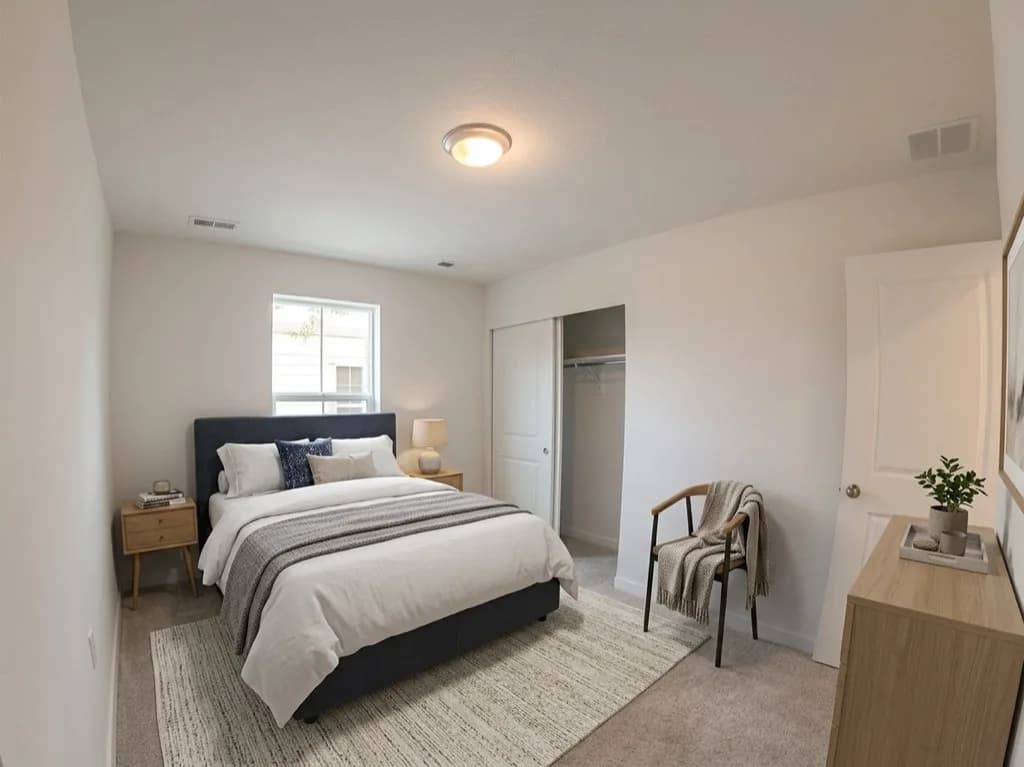
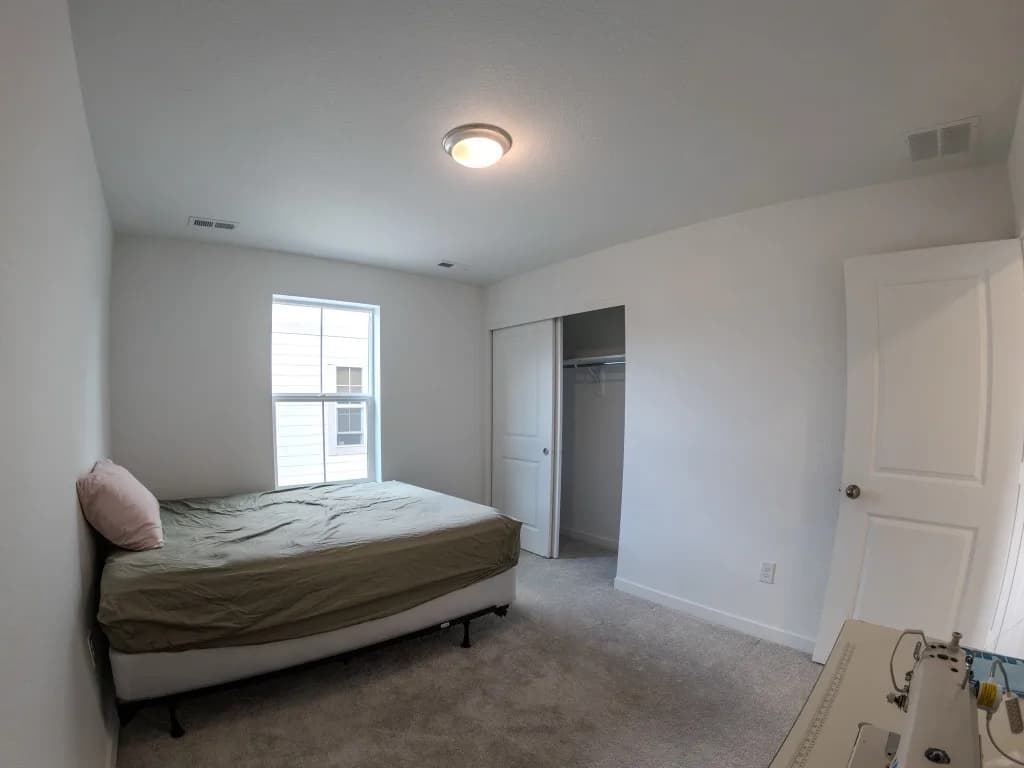
These four before-and-after pairs are real rooms from the same listing — same windows, same closets, same walls in both photos. Nothing was added except furniture and decor, and every staged version carries the disclosure it would need on the MLS. Drag the divider on each one, or use your arrow keys, to see exactly what changed.
Primary Bedroom
Secondary Bedroom
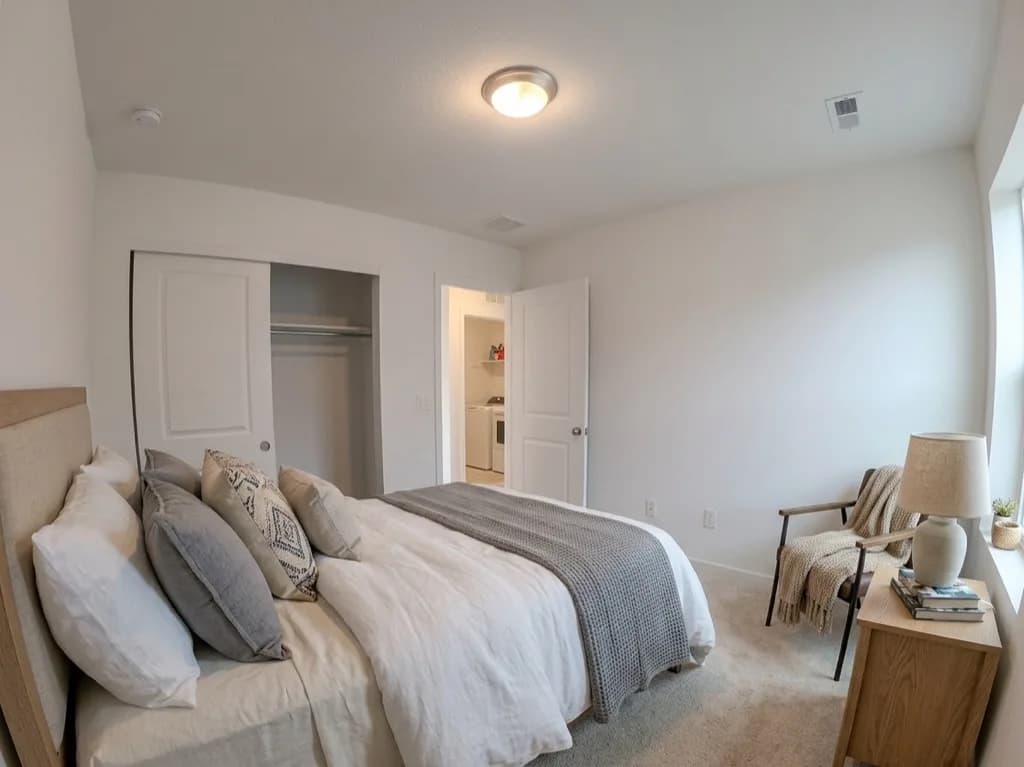
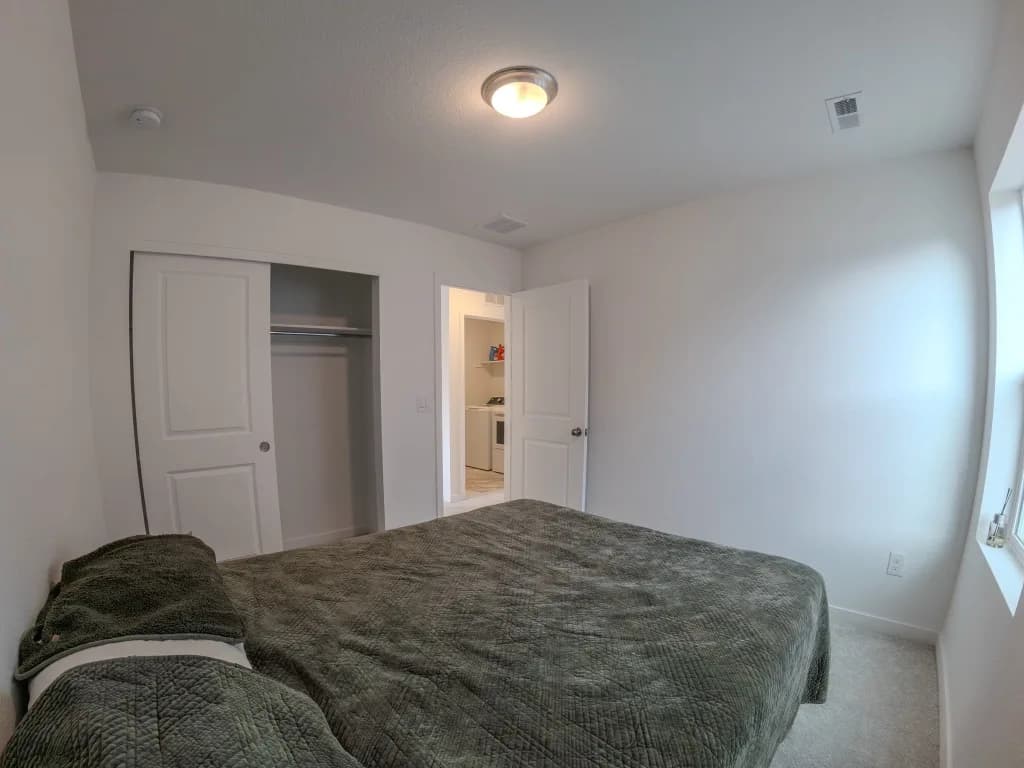
Kitchen
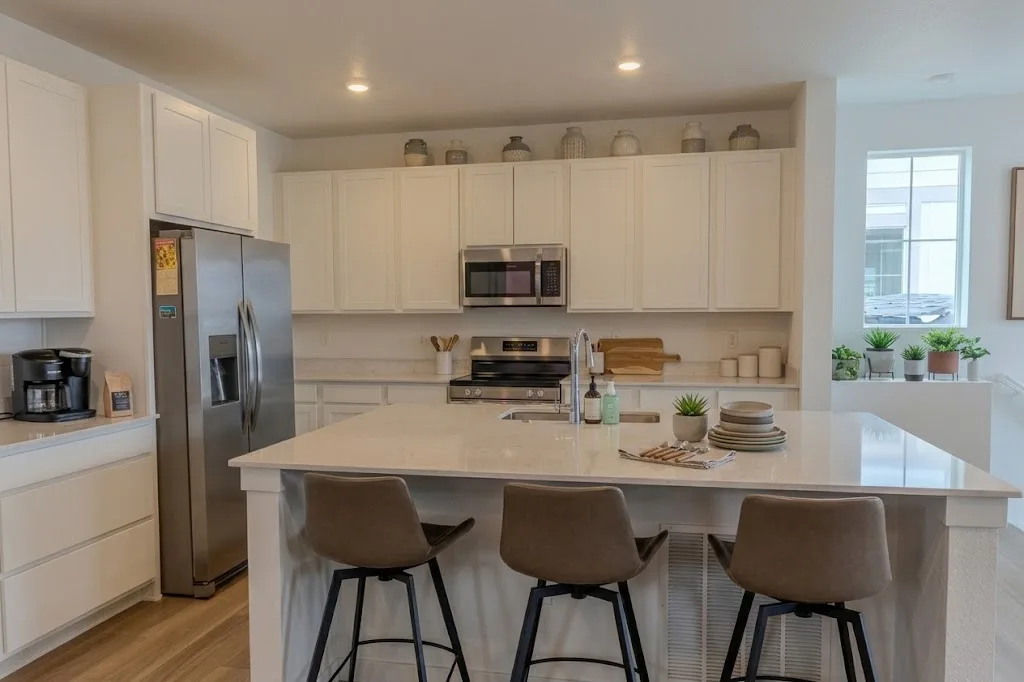
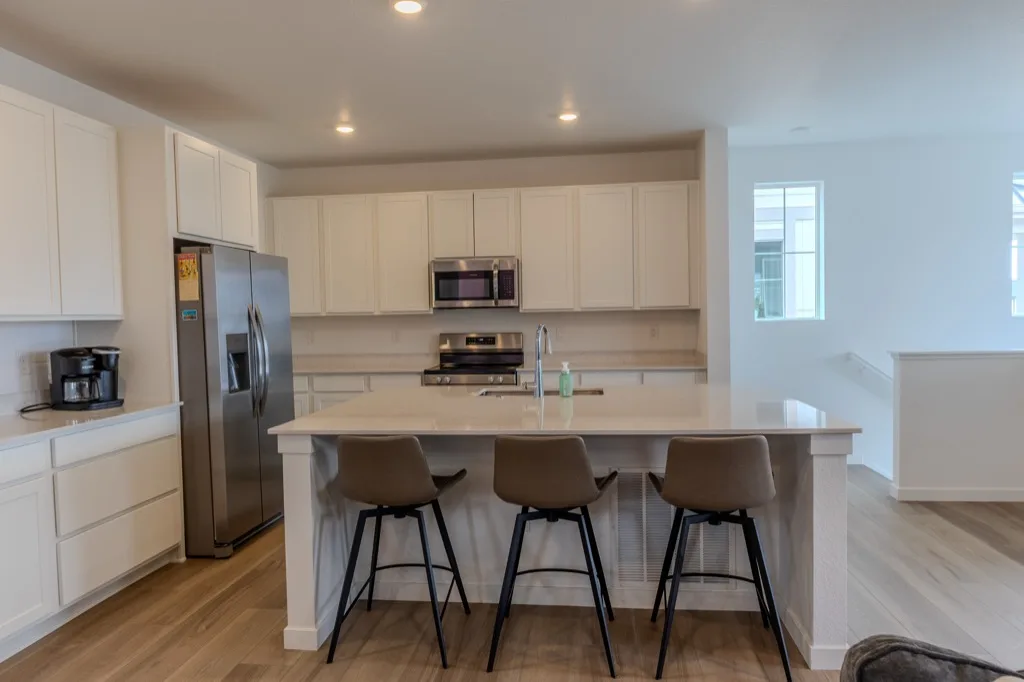
Living/Dining Room
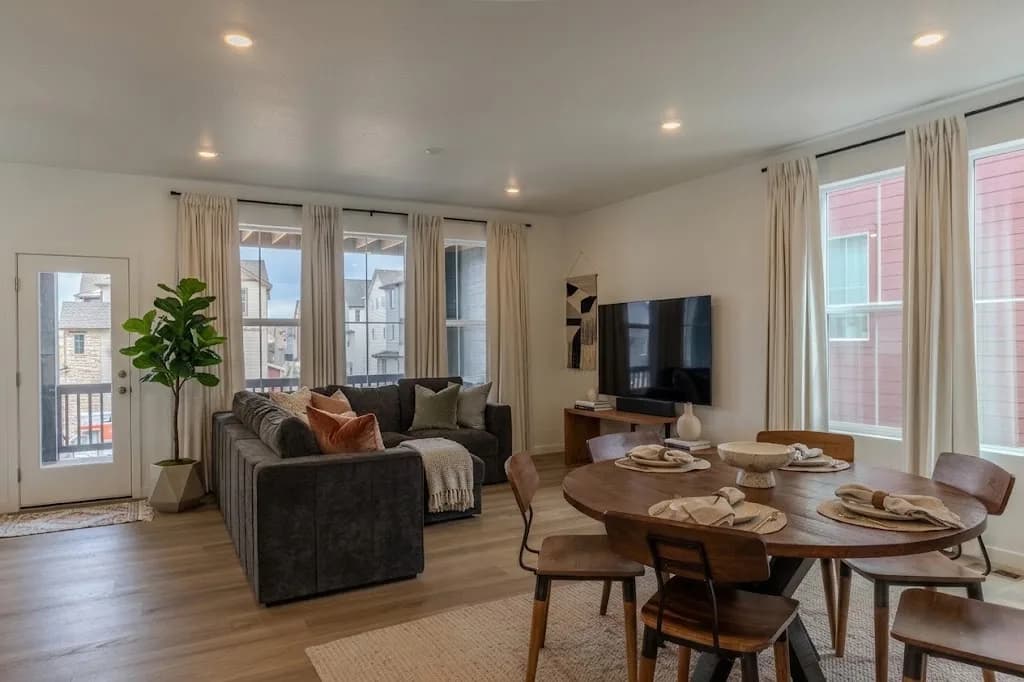
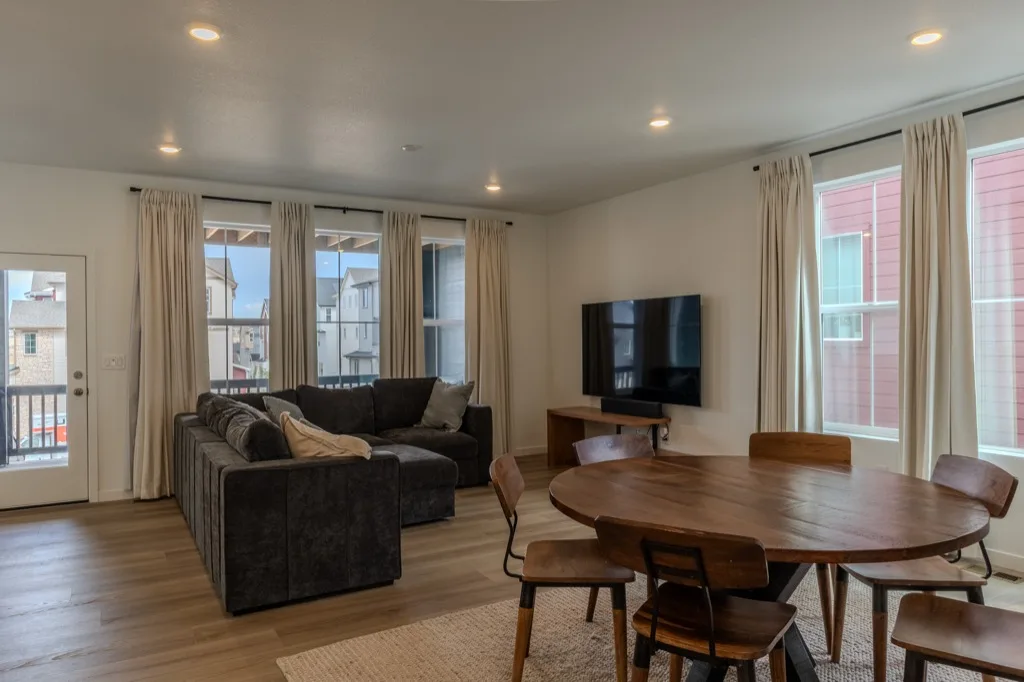
Notice what didn't change in any of the four: the window position, the closet lines, the flooring, the outlets. That's the test every one of these images had to pass before it went anywhere.
Virtual Staging with Lauria Media Group in Denver
Here's the honest part: AI virtual staging is only as good as the base photo you feed it. A clean, well-exposed HDR shot with a straight, composition-ready angle stages beautifully — the AI has clean geometry and even light to work with. A crooked phone snapshot with mismatched lighting stages into an uncanny mess no matter how good the prompt is.
That's the piece Lauria Media Group actually supplies. Every package delivers HDR interior shots built for exactly this kind of overlay, and we can deliver a composition-ready set built specifically for virtual staging, alongside your clean, unedited listing photos. Pair that base photo with a well-written, MLS-safe prompt like the ones above, and a vacant listing stops reading as empty square footage.
If you've got a vacant listing coming up in Aurora, Lakewood, or Highlands Ranch, book a shoot in Denver and we'll shoot it with staging overlay in mind from the first frame.
Book Your Shoot
Ready to make your listing stand out? Let's talk.
Get in Touch
Fill out the form and we'll respond within 2 hours to confirm your appointment details. No commitment required — easy reschedule if your listing timeline changes.
- Responds within 2 hours
- No commitment required
- hello@lauriamediagroup.com